How Many Heading Tags Can You Use on a Page? (Real Data from 4 Ranking Sites)
There is a common misconception in SEO that you can only use a certain number of heading tags on a page. H1 once, H2 a handful of times, H3 sparingly, and so on. Cross that line and Google will penalize you. The problem with that rule is that nobody who repeats it ever checks whether the pages currently ranking are actually following it. So I checked.
I took the keyword plumber Fort Worth and counted the heading tags on the top 4 organic results. The range was 10 to 115 heading tags across pages all ranking in the top 4 for the same query. Not 1 to 5. Not 5 to 20. Ten to a hundred and fifteen.
This article walks through exactly what I found, how I counted, and what it means for your own local SEO strategy. If you want help applying this method to your specific market, you can request a free site audit at the end.
The Misconception About Heading Tag Limits
Every SEO blog from 2010 onward has some version of the same rule: use one H1, three to five H2s, a handful of H3s, never go deeper than H4, and never repeat. The reasoning usually cites accessibility, semantic structure, or Google's preference for hierarchy.
None of that is wrong in principle. A clean heading hierarchy genuinely helps screen readers, helps crawlers parse content, and helps human readers scan a page. But the rule that you can only use a certain number of headings has no basis in anything Google has published. And the pages actually winning in competitive SERPs are not following it.
If you are working through your own page structure as part of a technical SEO audit, the first thing to throw out is the heading tag count rule. Then go look at what works.
The Real Data: Counting Tags on 4 Pages Ranking for "Plumber Fort Worth"
I searched plumber Fort Worth in Google. The top 4 organic results (skipping directories like Yelp) gave me a clean sample of 4 different on-page strategies. Here is what each page is doing.
| Rank | Site | Heading Tag Count |
|---|---|---|
| #1 | Berkeys | 39 |
| #2 | Local Plumbing Company | 10 |
| #3 | REA Trust | 115 |
| #4 | Last Example | 25 |
Berkeys: 39 Heading Tags (Ranked #1)
The top result for plumber Fort Worth uses 39 heading tags. That is already 4x to 10x more than most SEO checklists allow. The page mixes service-block headers, FAQ headers, location callouts, and trust signal subheads. The Ahrefs SEO Toolbar Chrome extension lets you see the full outline in one click, but you can also count manually with View Page Source.
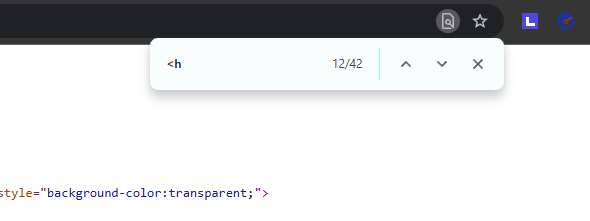
The Second Ranking Site: 10 Heading Tags (Ranked #2)
Three positions down, the picture flips completely. The site ranking #2 uses only 10 heading tags. Light on-page content. Minimal structure. And still on page one of Google.
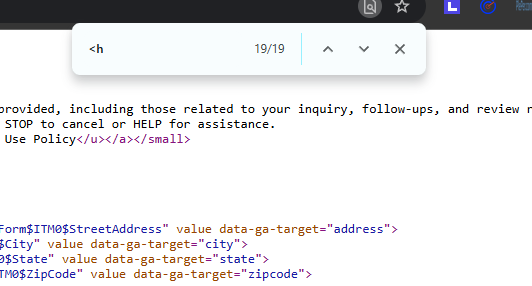
REA Trust: 115 Heading Tags (Ranked #4)
Then there is REA Trust. 115 heading tags on a single page. Roughly 10x what the #2 site has, and almost 3x what the #1 site has. The page is dense, comprehensive, and clearly built to cover every related entity, service variation, and question someone might have about plumbing in Fort Worth.
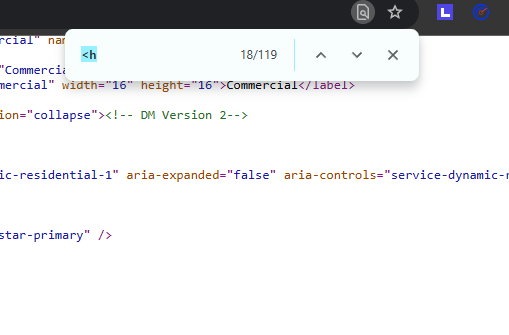
If you ever read an SEO guide that says you cannot use more than 30 or 50 or 80 headings on a page, REA Trust is the counter-example. The page is ranking. Google is not penalizing it. The supposed rule does not match reality.
The Last Example: 25 Heading Tags
The fourth page in our sample uses 25 heading tags. A middle-of-the-road number that lands between the minimalist site at #2 and the comprehensive REA Trust page at #4.
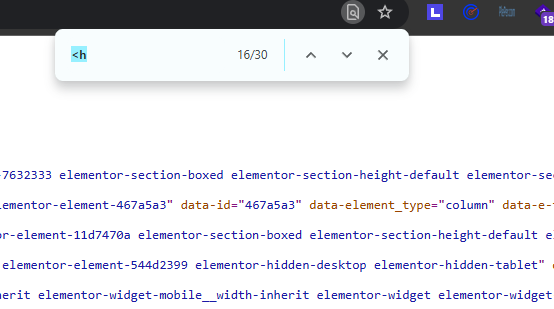
So now we have a complete picture of the top 4: 39, 10, 115, 25. There is no pattern to copy. There is no number to target. There is only the SERP itself.
How to Count Heading Tags on Any Page (2 Methods)
You can replicate this analysis on any keyword in about five minutes. Here are both methods I used in the video above.
Method 1: Ahrefs Chrome Extension (Fastest)
Install the free Ahrefs SEO Toolbar Chrome extension. Open the page you want to analyze. Click the toolbar icon and select the on-page report. It displays a complete heading outline with the total count, the hierarchy structure, and any issues. This is the same approach we use when running a paid SEO audit for clients.
Method 2: View Page Source + Ctrl+F (Free, No Install)
If you do not want to install anything, right-click on the page and choose View Page Source. A new tab will open showing the raw HTML. Press Ctrl+F (or Cmd+F on Mac) and type the two characters: <h.
The browser will highlight every match and show the count in the find bar. Skim the highlights to subtract non-heading matches like <html and <head (there are usually 2 to 4 of those per page). The remainder is your true heading tag count.
This is the same technique we teach during an on-page review of a client's competitors as part of their monthly SEO management.
What This Means for Your On-Page SEO
The lesson here is not that you should suddenly add 100 heading tags to your page. The lesson is the same one that runs through almost every honest SEO conversation: look at what is currently ranking, not at what a blog post claims is best practice.
If your competitors in Fort Worth (or your specific city) are using anywhere from 10 to 100 heading tags and all ranking, then you have wide latitude. Pick the count that fits your content depth. A 500-word service page does not need 50 headings. A 4,000-word comprehensive guide might benefit from 30 or more. The number follows the content, not the other way around.
This same logic applies to almost every on-page question. Word count, image count, internal link count, schema item count. The answer is not in a checklist. It is in the source code of whatever is already ranking above you. For more on this approach, see our guide on conducting a comprehensive SEO audit or our breakdown of implementing schema markup for better SEO.
Heading Tags Are One Signal Among Many
While heading tags matter for structure and readability, they are not a standalone ranking factor in the way SEO blogs sometimes imply. They work alongside content depth, internal linking, page speed, schema markup, backlinks, and dozens of other signals. If you want a complete picture of how your page stacks up across all these signals, we offer a free site audit that benchmarks you against your top competitors.
And if you are a local business specifically, the on-page signals only get you so far. Your Google Business Profile is often the bigger lever in local search. We cover that in our GBP audit service for businesses that want to dominate their local map pack.
Frequently Asked Questions
Is there a maximum number of H1 tags allowed on a page?
No. Google has confirmed publicly that multiple H1 tags on a single page are fine. The HTML5 spec actually allows multiple H1s when used within sectioning elements. Across the top 4 pages ranking for our example keyword, heading tag counts ranged from 10 to 115. There is no hard rule.
Will too many heading tags hurt my SEO?
Not by themselves. The pages ranking in the top 4 for plumber Fort Worth used heading counts ranging from 10 to 115 with no penalty. What matters is whether the headings are meaningful and structured to help readers and search engines understand the content. Stuffing headings with irrelevant keywords can hurt, but the raw count is not the problem.
How do I check the heading tag count on a competitor's page?
Two methods. The fast way is the free Ahrefs SEO Toolbar Chrome extension, which displays a structured outline of all heading tags. The free manual way is to right-click the page, choose View Page Source, press Ctrl+F, and search for the two characters <h. The browser will count every heading element for you.
Does it matter if my heading tags are out of hierarchy order?
Less than most SEO blogs claim. Google has stated repeatedly that heading hierarchy is a signal for accessibility and readability, not a hard ranking factor. Many top-ranking pages skip levels or jump from H2 to H4. That said, a logical hierarchy helps screen readers and improves user comprehension, so it is worth fixing when convenient.
How many heading tags should my page have?
Look at the pages currently ranking in the top 5 for your target keyword. That range is your real benchmark. If those pages use 30 to 100 heading tags, you should target the same range. If they all use 10 to 20, copying a 100-heading structure would be over-engineering. The SERP itself is the only authoritative answer.
Want this kind of analysis for your business?
We benchmark your page against the top 5 ranking competitors across heading structure, content depth, schema, internal linking, and 200+ other on-page signals. Then we tell you exactly what to fix first.
Get a Free Site Audit