How I Would SEO Rank a Plumber
 By Christopher Simpson, Pensacola SEO Company · Updated June 9, 2026
This is the entire process I use to rank a plumber in Google, from the Google Business Profile all the way through the website. It works for any local service business, not just plumbers (here is how I would approach SEO for a process server, for example). Nothing here is theory. Every step is something you can do today by looking at what is already ranking in your market.
- Start with a Google Business Profile
- How to SEO a plumber's Google Business Profile
- The multiple-profile "myth"
- How to SEO a plumber's website
- Word count: how much you actually need
- Keyword frequency: how many times to use it
- Keywords in your HTML tags
- HTML tag diversity
- Keyword variations and where to place them
- The number-one ranking factor: diversity
- Internal linking structure
Start with a Google Business Profile
If you are a local business, you need a Google Business Profile. It is free. If someone tells you not to get one, fire them. Then get a second one, but more on that later.
When you set up a profile for your service or product, ask one question first: do people come to you, or do you go to people?
If people come to you, you have to show the business address so customers can get directions. A laundromat is the clearest example. People drive to the laundromat to clean their laundry, so the address has to be visible.
If you offer a service where you go to the customer, like a plumber unclogging a toilet or fixing a leak in a pipe at someone's home, you still benefit from showing an address. Showing the address helps you rank. If you go to people and you also have a commercial location, set up a profile that shows that commercial location. It will help you rank higher.
How to SEO a Plumber's Google Business Profile
First things first: search your keyword. What do you see? Locate your competitors and look at what they are currently doing.
If you do not have much competition where you are, search a more competitive city. Here is the tip for looking at an area you are not close to: put the city and state directly in the search term. For example, searching "plumber Pace, Florida" shows you exactly what is ranking there.
Put your keyword in the profile name
Look at the names of the profiles currently ranking. In Pace, the top results are Pace Plumbing and Apex Plumbing. The pattern is clear: you want your keyword in the Google Business Profile name. But is that a real ranking factor across different niches, or just a plumbing coincidence?
I checked. Search "DUI lawyer Los Angeles" and the first profile is "DUI Attorney Los Angeles." Search "HVAC company Miami" and you see "Air Conditioning Company," then "Air Conditioning," then "Air Conditioning Corp." The air conditioning businesses do not have the exact phrase "HVAC company" in their name, but they have a subset of the top-level keyword. Air conditioning is a subset of HVAC. Having that sub-level keyword in the name is something you want to do too.
Reverse-engineer the profile ranking number one
Click into the profile ranking first, in this case Pace Plumbing Inc, and look at every factor it is using:
- Service area listed. The profile shows it serves Santa Rosa County and nearby areas. If you click it, you see a full list of areas served. Do the same on yours.
- A description. Filled out, not left blank.
- Services and categories. Using the Pleper Chrome extension you can see far more detail. This profile has 41 services listed. You want a lot of services listed too, each with descriptions and variations of the keyword. Near the bottom they have "water heater installation," "water softener installation," and "water softening and filtration system." Those are all variations of a top-level keyword. Add "installation" and you have a variation.
- The right main category. Your top-level service should be your main category and should best match what you do. If you are a plumber, your main category is plumber. They have four categories. List the ones you actually offer, but keep them as subcategories, not your main one. If you are a bathroom remodeler, that is your main category. If you are a plumber, it is plumber. I would personally remove a loosely related fourth category like "plumbing supply store."
- Every attribute filled out. This profile shows ten attributes across accessibility, amenities, offerings, payments, and service options. When you fill out yours, scroll all the way to the bottom and check everything that applies.
- Website linked. So should yours.
- Phone number listed. So should yours.
- A verified physical address. You can get directions to them, which means the address is verified. You need one too.
- Photos. They have photos of different services. Google reads the photos, understands what is in them, and categorizes them, here into "bathroom" and "pipes."
- An appointment link. This is the one thing they are missing. Add one pointing to your contact page or homepage. No appointment software? Still add the link and point it at your homepage or contact page.
- Social profiles. Fill these out: Facebook, Instagram, Twitter, YouTube, LinkedIn, Threads, even Pinterest. List every one you have. If you have none, leave it blank.
- Hours. Fill them out, and do not lie. If you get caught lying about your hours, your profile can be suspended.
The Multiple-Profile "Myth"
There is a big myth that you cannot have multiple Google Business Profiles. If someone tells you this, you need to fire them. There are companies running three profiles right now, and they are probably printing cash.
Here is how to visualize it. Three profiles, all in Fort Myers, all owned by the same company. Notice how far apart they are. Profiles start to drop out of search around a four to five mile radius from the profile location. How fast they drop depends on how competitive the area is, but in this example the three profiles are spaced at the perfect distance from each other.
Because of that spacing, they rank near all three locations and in between them. In a single search they can take up to two of the top three spots. Picture a customer searching, glancing at the top three, and not paying close attention to the business name. If two of those three are yours, it is not even a competition.
How to SEO a Plumber's Website
Now the website. The first thing we do is research the competitors' SEO. Why? Because you need to see what is currently ranking to decide how many ranking factors to use and how much of each factor to put on your pages.
Here is the list of ranking factors to check on your competitors' sites:
- Number of times the keyword appears on the page
- Keyword in the title tag, meta description, and H1 through H6
- Word count on the page
- The different types of HTML tags used (heading tags, list tags, paragraphs, and
alt=image alt text) - Keyword variations inside those HTML tags
- A diversity of ranking factors
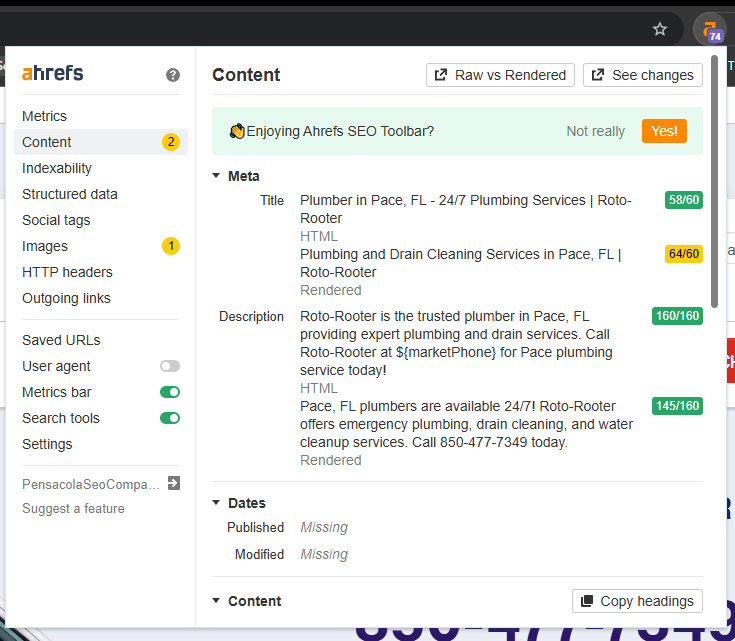
There are well over one hundred thousand ranking factors. I am not covering all of them. I am covering the ones you can find and beat by looking at the live results. A lot of this information comes from a Chrome extension called Ahrefs, which I highly recommend.
Word Count: How Much You Actually Need
So what should the word count of your page be? In the live results for one plumbing keyword, the ranking pages ranged widely, from 690 to 3,225 words. To find your number, search your keyword, open the ranking pages, and read the word count for each. The Ahrefs extension makes this fast.
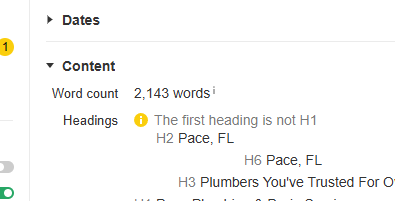
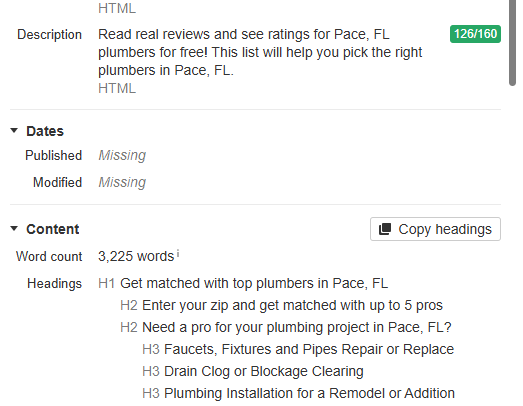
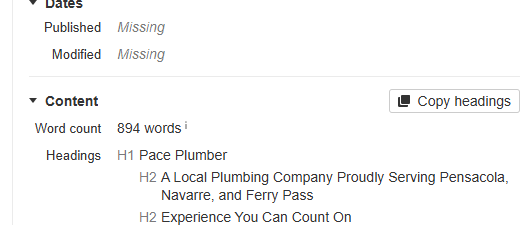
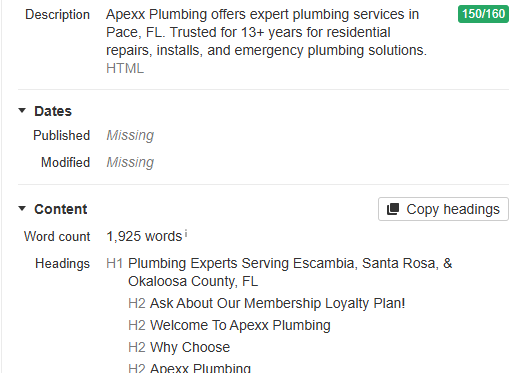
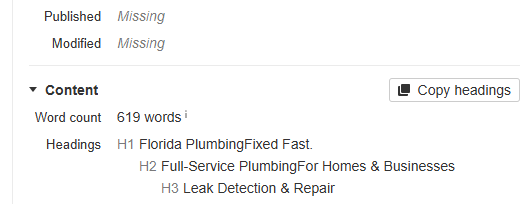
Across five ranking pages the counts were 2,143, 3,225, 894, 1,925, and 619. Add them up and you get 8,806 words across five pages. Average that and you get 1,761. You want to be slightly better than average, so the target word count is about 1,800.
Keyword Frequency: How Many Times to Use It
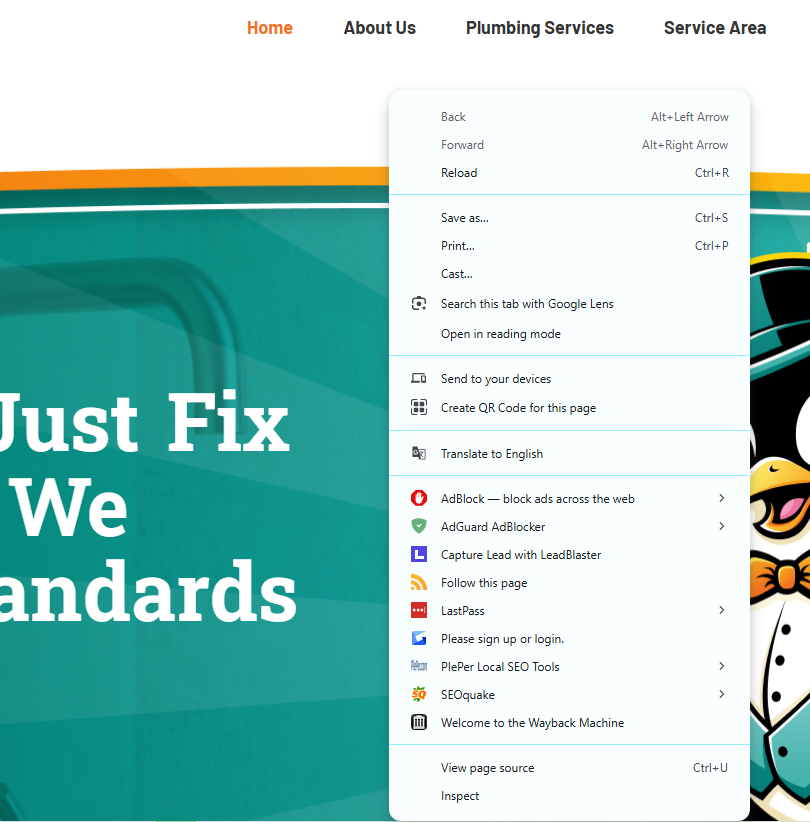
How many times are your competitors actually using the keyword? Search your keyword, open the ranking pages, right-click and choose "View Page Source." That is the code. Do not get scared. Hit Ctrl + F, type your keyword, and read the count. On one page, "plumbing" already showed 89 results.
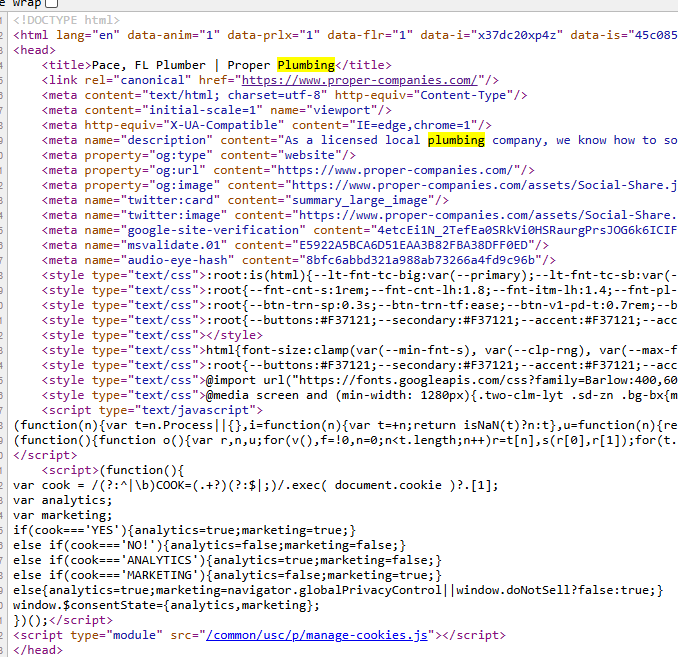
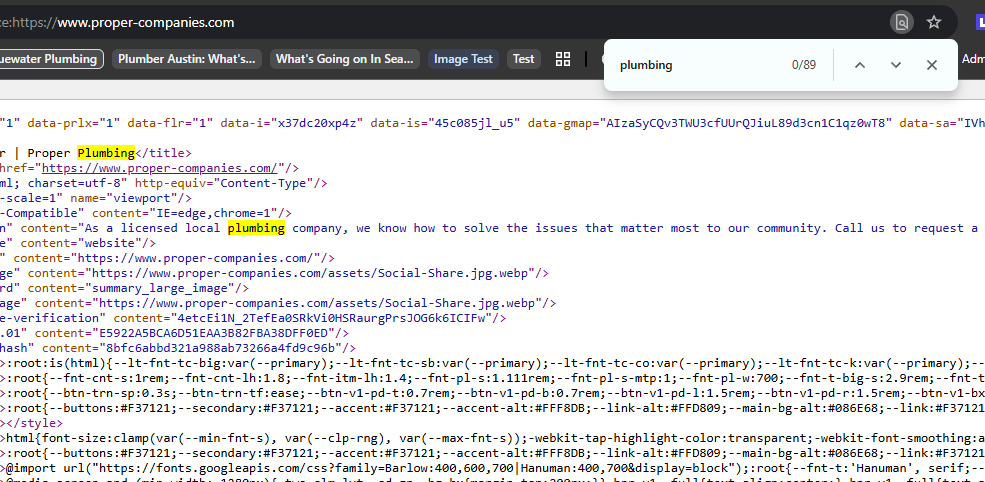
Across five pages the keyword "plumbing" appeared 332, 89, 699, 23, and 124 times.
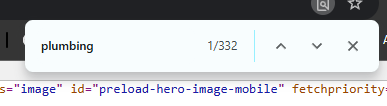
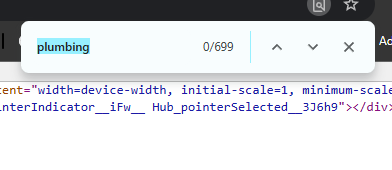
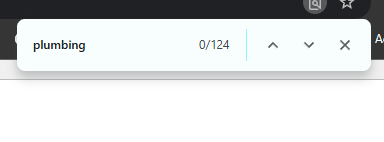
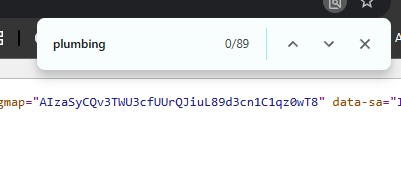
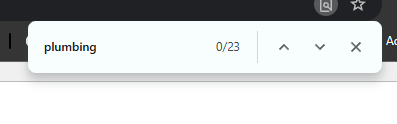
That totals 1,267 across five pages, an average of 253. Use it slightly above average, so around 270 times.
On the "keyword limit" myth: more often than not, when someone sets a hard rule like "only use a keyword 100 times," you can search and immediately find ranking pages that break it (one page above used "plumbing" 699 times). This is exactly why you look at what is currently ranking, not what someone told you.
Keywords in Your HTML Tags
Are competitors putting the keyword in the title tag, meta description, H1, H2, H3, H4, H5, or H6? Search your keyword, open the top pages, and use the Ahrefs extension to view the content structure.
On the pages I checked, the keyword shows up in the title, in the description (often as a variation like "plumbing services" or "plumbing solutions"), in the H1 ("plumbing experts," "Pace Plumber"), and across the H2 and H3 tags ("Florida plumbing," "top ten best plumbers in Pace"). But not one of them put the keyword in an H5 or an H6.
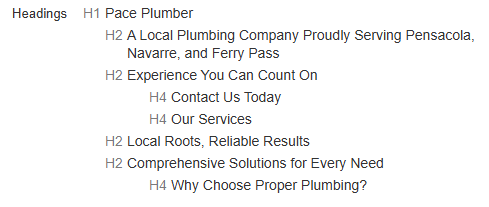
Four ranking factors you can easily beat them on. Having an H5 is a ranking factor. Having an H6 is a ranking factor. Add a keyword to each and you have two more. H5 plus keyword, H6 plus keyword. That is four ranking factors your competitors are leaving on the table.
HTML Tag Diversity
How many different HTML tags are your competitors using? There are over 130 HTML tags. Again, View Page Source, Ctrl + F, and search the tag you want to count: headings, list tags, paragraph tags, and alt= image alt text.
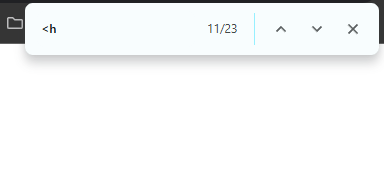
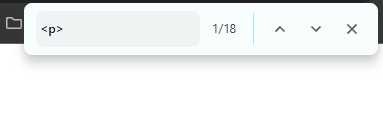
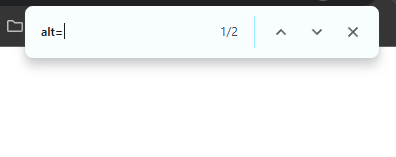
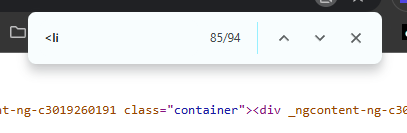
Across all five sites, here is what the counts looked like:
| Tag type | Per-page counts | Total |
|---|---|---|
| Paragraph tags | 18, 0, 0, 28, 0 | 46 |
Image alt text (alt=) | 2, 0, 2, 16, 0 | 20 |
| Heading tags | 23, 2, 59, 2, 16 | 102 |
| List tags | 1, 5, 0, 0, 0 | 6 |
Divide each total by the five pages you viewed to get the average, then aim to come in slightly above it. Just doing this does not guarantee a ranking. These are a handful of factors out of a couple hundred thousand. But it tells you exactly where the bar sits.
Keyword Variations and Where to Place Them
To find keyword variations, search your keyword in Google and look at the bolded terms in the results. Google bolds these variations for a reason: it thinks they are relevant to the search. So you want them on your page. In the plumbing results, the bolded variations included "emergency plumbing," "drain cleaning," "water cleanup services," "expert plumbing," and "expert plumbing services."
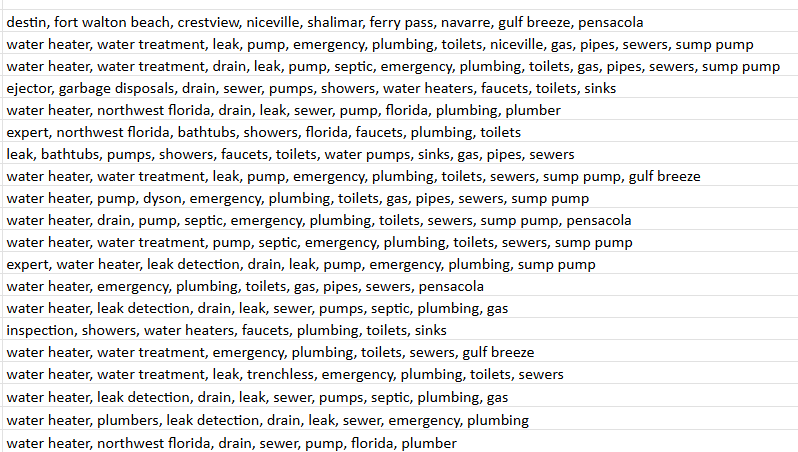
A fuller list of variations to work in: near me, plumbing, complaints, plumbers Milton, plumbers Pensacola, plumbing reviews, water heater, water treatment, pump, emergency, toilets, pipes, sewers, sump pump, and garbage disposals.
Where the variations go
Use these slightly more than your competition, and put the majority in heading tags. Not only in headings, though. They need to live across the whole page: in your list tags, your paragraph tags, and your title tag and meta description. An ideal setup looks like this:
- Title tag: main keyword plus a keyword variation
- Meta description: the keyword plus a variation
- H1: the main keyword
- H2: a main keyword variation
- H3: a keyword variation
- H4, H5, H6: a keyword variation in each
Include the area you serve as a variation too, like "Pace Florida plumbing" or "Pace Florida plumber." Then add area-plus-service variations, like "Pace water heater plumbing" or "Pace water heater installation plumber." Do this across all your service pages and location pages. A location page gets more location variations; a service page gets more service variations. There can be over a hundred variations in play.
The Number-One Ranking Factor: Diversity
The single most important ranking factor, across every business niche, is a diversity of ranking factors. The more diversified you are in the right areas, the higher and the longer you rank.
Here is what happens when a site does not diversify. Picture a site that went heavy on one factor. In its Search Console history you can see it lose most of its traffic, regain a little, climb slightly higher, then lose it all again. When the one ranking factor it leaned on lost its power, so did the site. (I am using this as an illustration; the chart may not be the exact reason the site fell.)
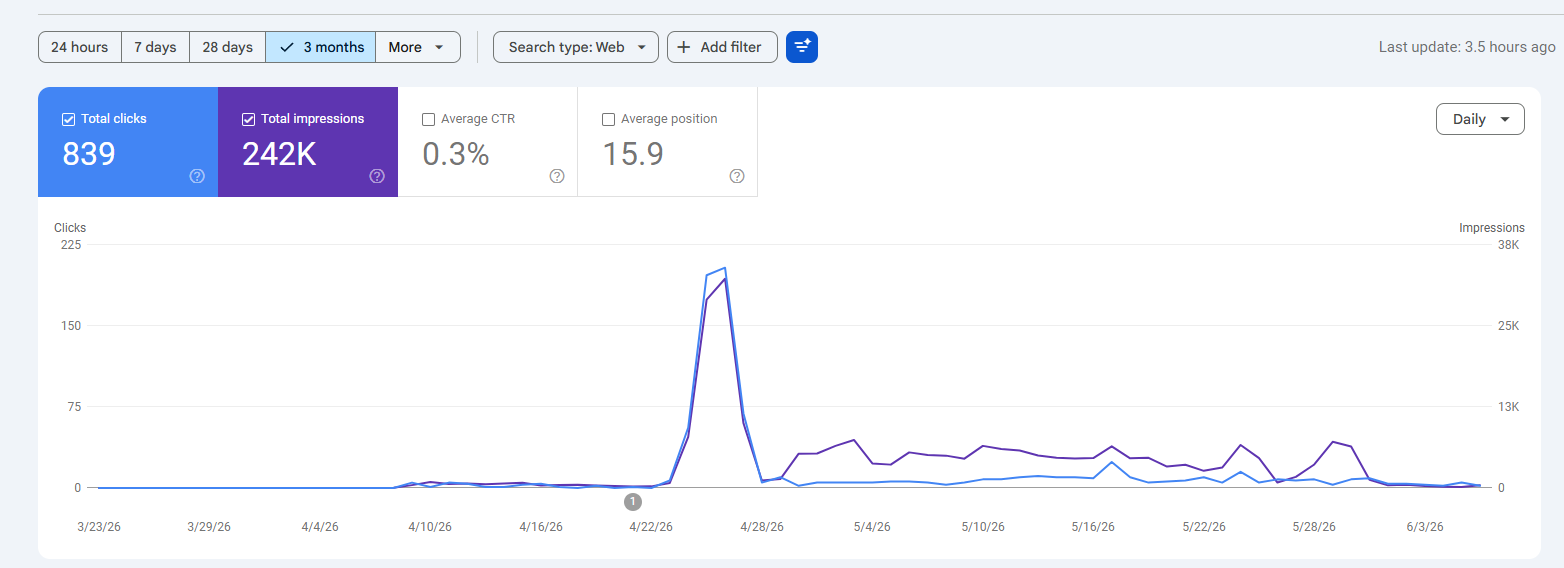
This is a double-edged sword. When you go too heavy on one factor and Google reduces how much that factor boosts, your site drops. But the reverse hurts too. If a different factor suddenly gets boosted and you were not diversified, your competitors who do have that factor start beating you. Enough of them pick it up and you slide down the page, to page two, three, four. Anything past page one effectively does not exist.
It gets harder. Ranking factors do not just change for your niche. They can change across all of search. One day pages with a certain factor get a boost everywhere. For news articles, author-card schema might be the biggest possible boost on a given day. You cannot predict all of it, but you can always look at what is currently ranking to get your bearings, and if you have historical knowledge you also know what ranked before, what is coming into play, and what is fading out. Some factors die and then get revived as the new thing all over again.
Internal Linking Structure
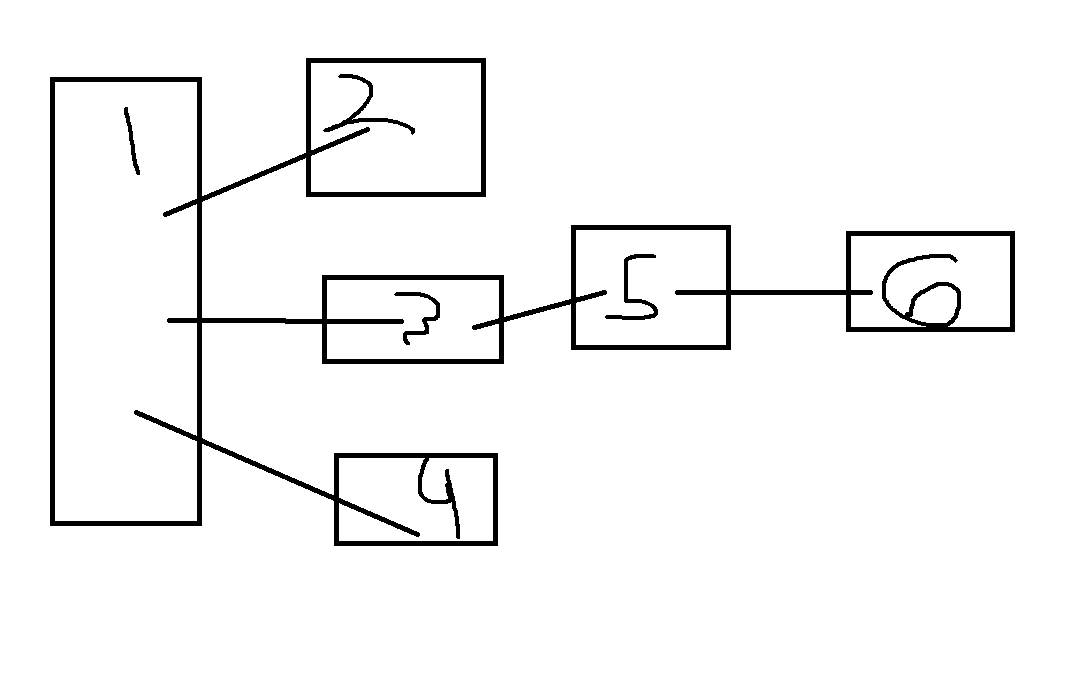
Here is how I structure internal links for a plumber. The rule: every page on your site should be reachable in three clicks. Why does it matter? Because an orphaned page is one Google will hardly find or crawl.
How Google's crawl queue actually works
Google crawls page one, finds the URLs listed on it, and adds them to its queue. When it later crawls those pages (two, three, four), it finds the new URLs on them and queues those (page five), and so on. That queuing can take days. Before Google even finds page five, three or four days can pass. It might be longer, or it might not come back at all if your page has too little going for it.
So a deep, poorly linked page can take eight or more days for Google just to discover. Worse, that long discovery loop can repeat every time Google crawls your main page. If you update the SEO on a deep page, Google may not see it for over a week, or may never see it. This is why you want a strong linking structure.
Use hubs
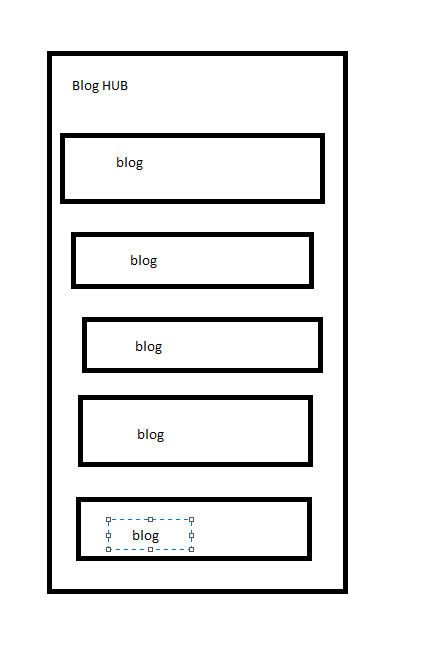
Build hub pages. A blog hub lists all your blog URLs on one page. After Google crawls your homepage, which links to the hub, it comes to the hub and crawls all those URLs at once. Do the same for service pages (a service hub linking to each service page) and location pages (a location hub linking to each location page).
Keep the hub simple. Its job is to list URLs so the crawler can find them. You can still consider the customer journey, but Google does not care about the styling of a hub. The goal is for the crawler to find every URL.
Internal links also pass ranking power
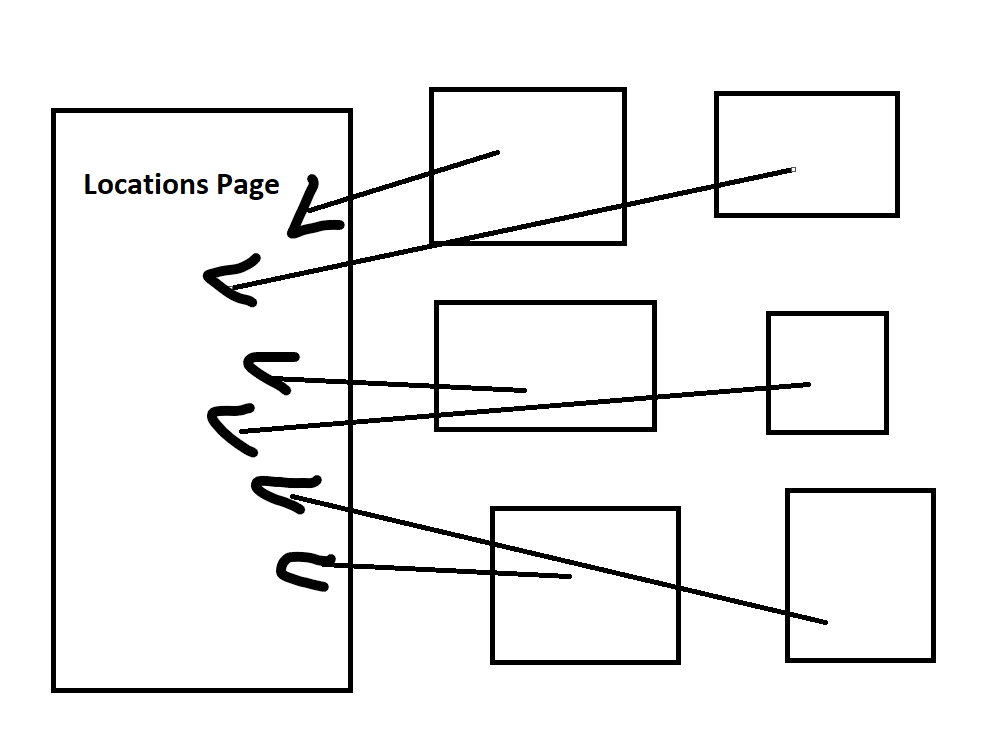
Linking does more than help discovery. When your blog content and service pages link to a key page, like the location page for the main city you want to rank in, Google crawls that page more often and sees your changes faster. On top of that, the anchor text you use is a ranking factor, and the internal link itself is a ranking factor that helps that page rank.
So in your internal linking structure: make every page reachable in three clicks, and deliberately link to the pages you are pushing to rank, like your money location page.
Want this done for you?
There is no silver bullet. Just architecture. If you would rather have your Google Business Profile and website optimized for you, we build the whole stack: profile, on-page factors, ranking-factor diversity, and internal linking.
See our SEO packages